
MOTIONLLM ASSISTANT / 06
Direct the trajectory with Root 2D
Place and retime independent trajectory waypoints, preview the path and control smoothing.
Create a path#
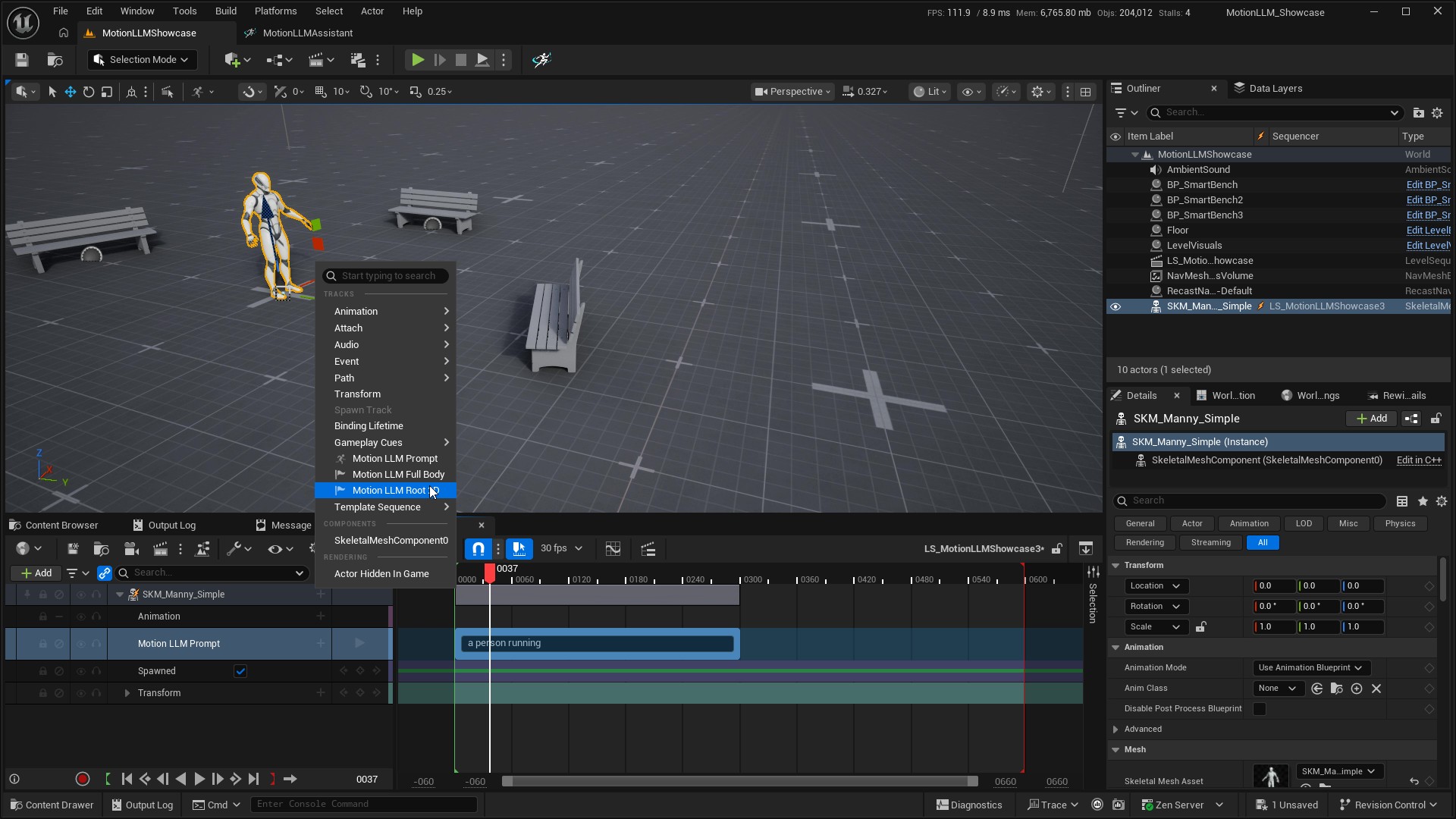
- Add Motion LLM Root 2D under the same character binding as your Prompt track.
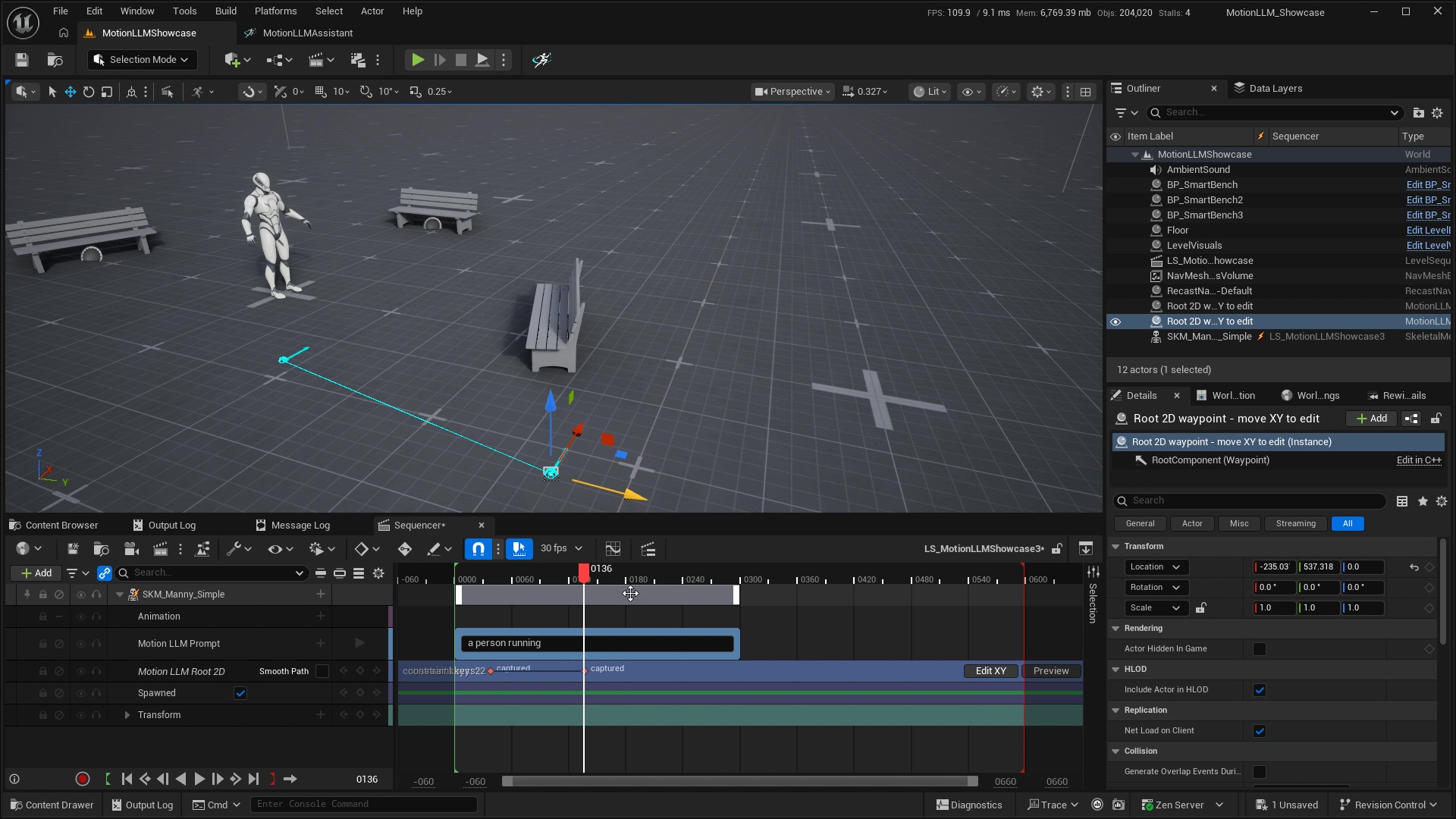
- Place the playhead inside a prompt section and use Key to add a waypoint.
- Select the key and use Edit XY. Move its viewport gizmo to set the trajectory point. Each key owns its own position; editing a waypoint does not capture a Full Body pose.
- Add more keys at later times and position them to describe the path. A new point starts at the previous authored position, or zero if there is no preceding point.
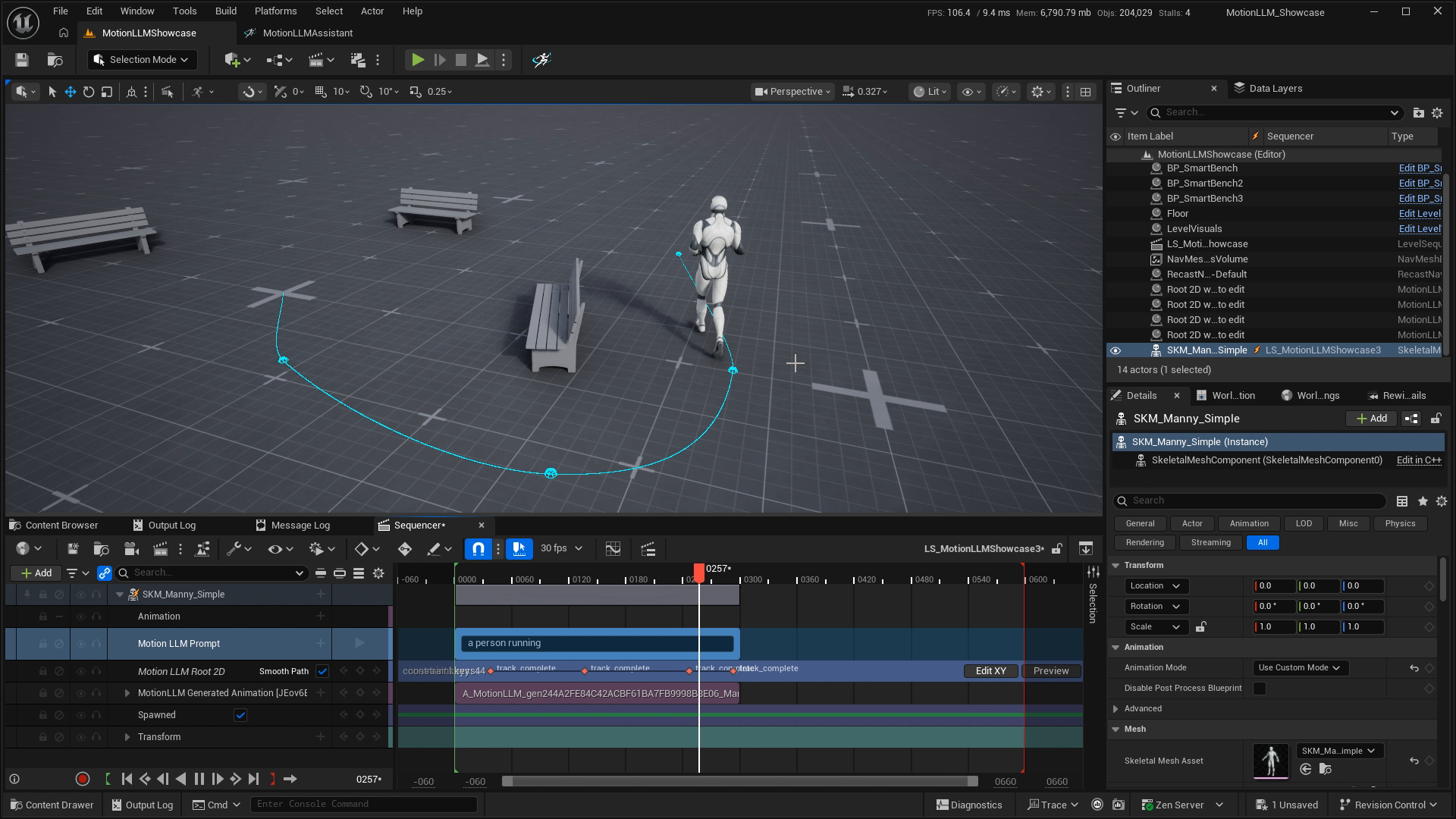
- Scrub and inspect the cyan path. Save the sequence and generate the Prompt track.
Change where and when#
Move a key on the timeline to change when the character should reach that position. Move the viewport gizmo to change where the key is placed. Waypoints are stored in the Level Sequence; the editing gizmo is temporary and is not a map actor you need to save.
Root 2D constrains the horizontal trajectory. The viewport’s placement context does not turn it into a vertical-motion or full-body constraint. Use Full Body to guide the body pose.
Use Smooth Path#
| Setting | Result |
|---|---|
| Smooth Path off | Sparse waypoint constraints and straight preview segments. |
| Smooth Path on | A sampled interpolating curve through the waypoints. With two points, the path remains straight. |
| Default Smooth Root 2D Path | Initial setting for new tracks only. Change an existing track using its own Smooth Path checkbox. |
The preview and generation request use the same path construction. Separate prompt blocks are not connected across gaps. The path ends at the final authored waypoint; a missing block-start point may be added at the origin when smoothing multiple points.
Resolve path conflicts#
Root 2D tracks contributing to the same block must agree on Smooth Path. Conflicting positions at the same model frame are rejected. Keep keys within the prompt range and avoid incompatible instructions from other constraints. Old Root 2D snapshots must be deleted and recreated when the plugin reports an unsupported schema.